For operations teams
Build operations tools with AI
Live dashboards, request queues and approval flows, built from one sentence.

What operations teams build with Firevibe
Operational dashboards
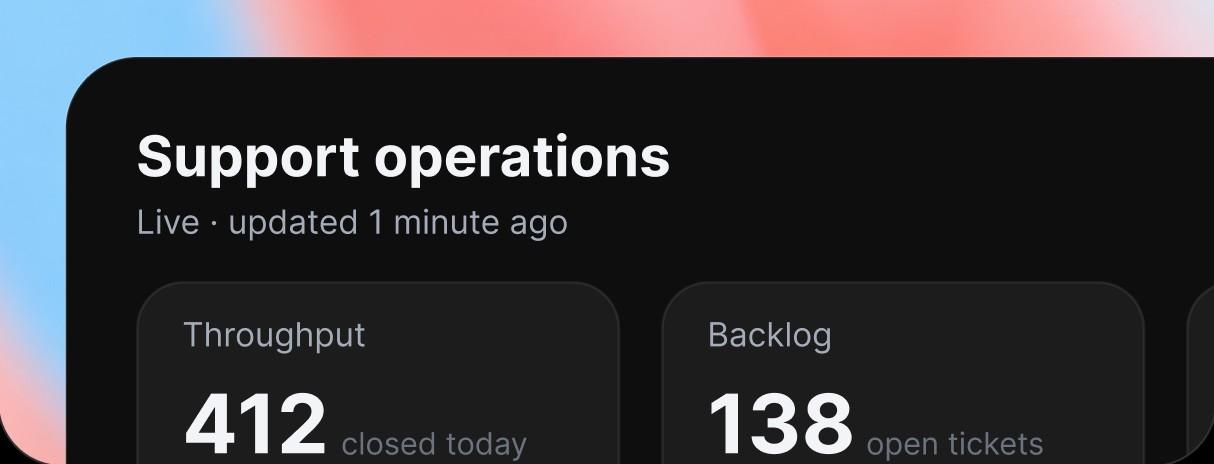
Throughput, backlog, cycle time and SLA numbers in one view, so people read the status themselves and stop asking for it.
Approval workflows
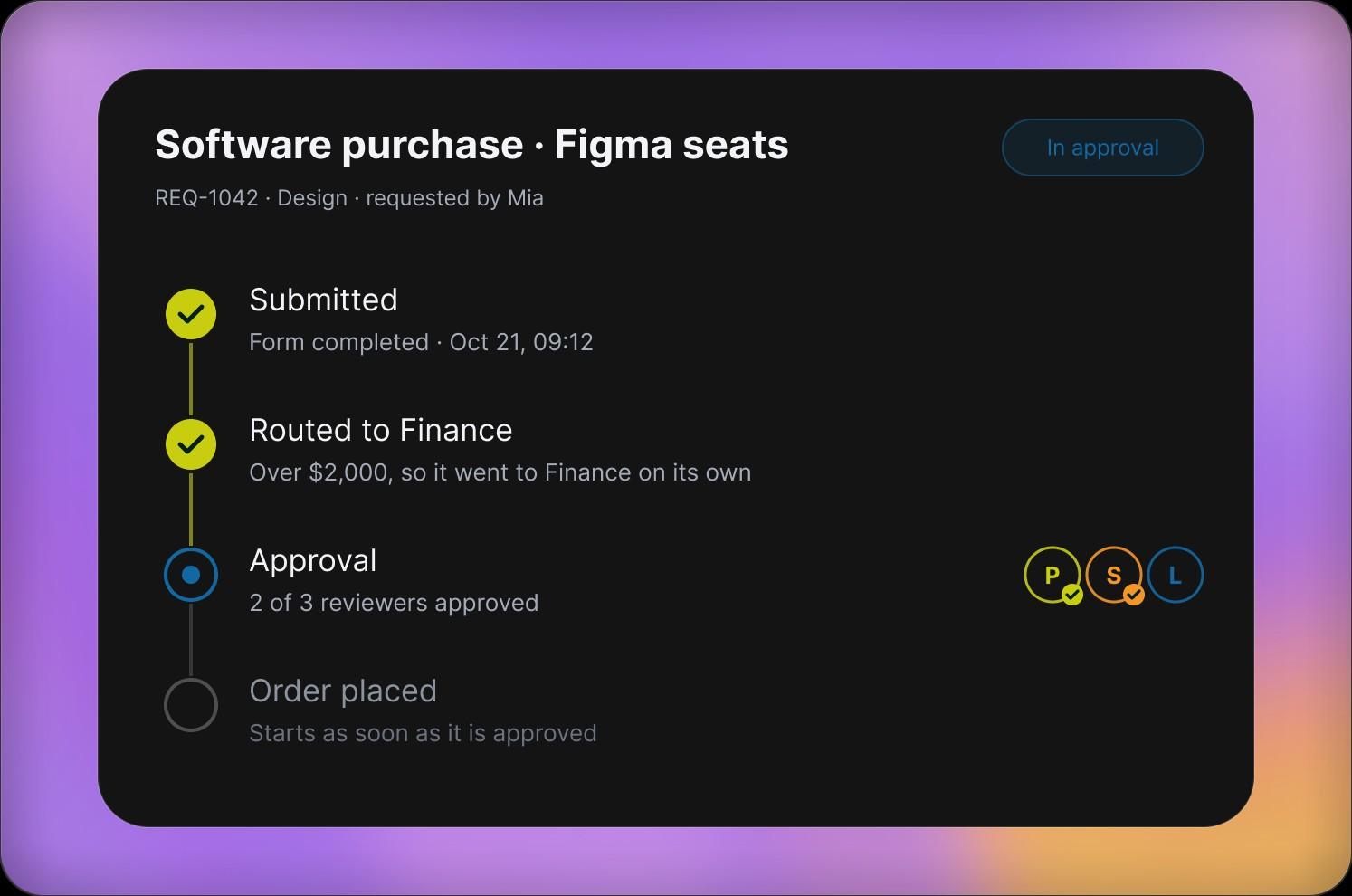
Required fields, named reviewers and a record of who approved what, so a decision does not stall in a thread.

Intake and triage queues
Requests arrive through one form, go to the right owner, and keep their status from the first message to done.

Knowledge and runbooks
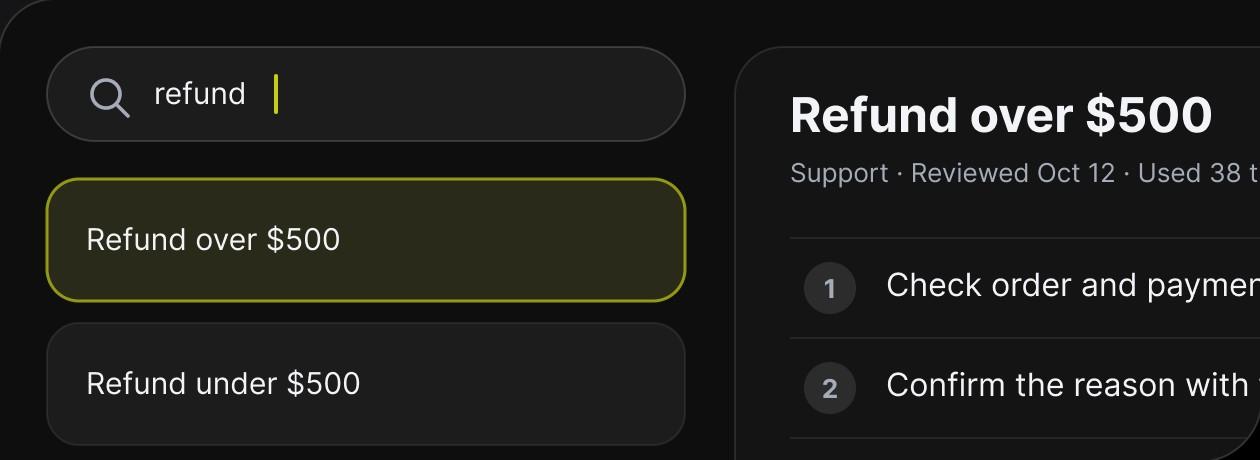
Searchable runbooks and procedures beside the work they describe, so the steps stay the same when the team changes.
Spend less time coordinating
Requests find their owner, approvals follow one path and progress shows on a dashboard, without follow-ups across five tools.
- RoutingA request goes to the right person by the rules you describe, and moves on when its status changes.
- ApprovalsEvery decision has its required fields, its reviewers and its progress in view.
- VisibilityDashboards show where the work stands without anyone writing a report.
Questions operations teams ask
Dashboards, intake forms and queues, approval flows, runbooks and admin tools. Each one is a web app with its own database and sign-in.
No. The person who knows the process describes it in plain words and Firevibe writes the tool. Changes are asked for the same way.
Yes. Connectors such as Airtable, Notion and Zendesk bring it in with your own account's key, and each tool also has its own database.
Yes, through connectors such as Slack, Resend and Twilio: a message in a channel, an email or a text. Each one uses your own account's key.
Every web app comes with its own sign-in, so only people with an account get in. Ask for the roles you need, for example requesters and approvers, and Firevibe builds them in.
Every build has a live preview with a link you can share. On a paid plan you publish it to a firevibe.dev address, and on Pro to a domain you own.
Yes. Paid plans open the full source code: real React and TypeScript.
Yes. Sign up without a credit card and build with your free credits. Publishing and code access are part of the paid plans, which also allow more collaborators.

Build the tool your team keeps asking for
Describe the process once. Run it from a dashboard.
Start for free