For marketing teams
Build landing pages and marketing tools with AI
The landing pages, launch sites and campaign dashboards your team needs, built from a sentence and changed the day you need it.

Why marketing teams build with Firevibe

Launch on your schedule
Describe the page you need and publish it when the campaign needs it, with no engineering queue and no agency brief.

Make changes yourself
Change a headline, a section or an offer mid-campaign by asking, then publish again.

Keep every page on brand
Give Firevibe your colours, fonts and logo, and every page of the site follows them.

Get more from your stack
Connect HubSpot, Mailchimp, Stripe and Slack with your own keys, so forms and numbers reach the tools you already use.








Connect your marketing stack
Add a service's key once in a project, and the pages and tools you build there can read from it and write to it.
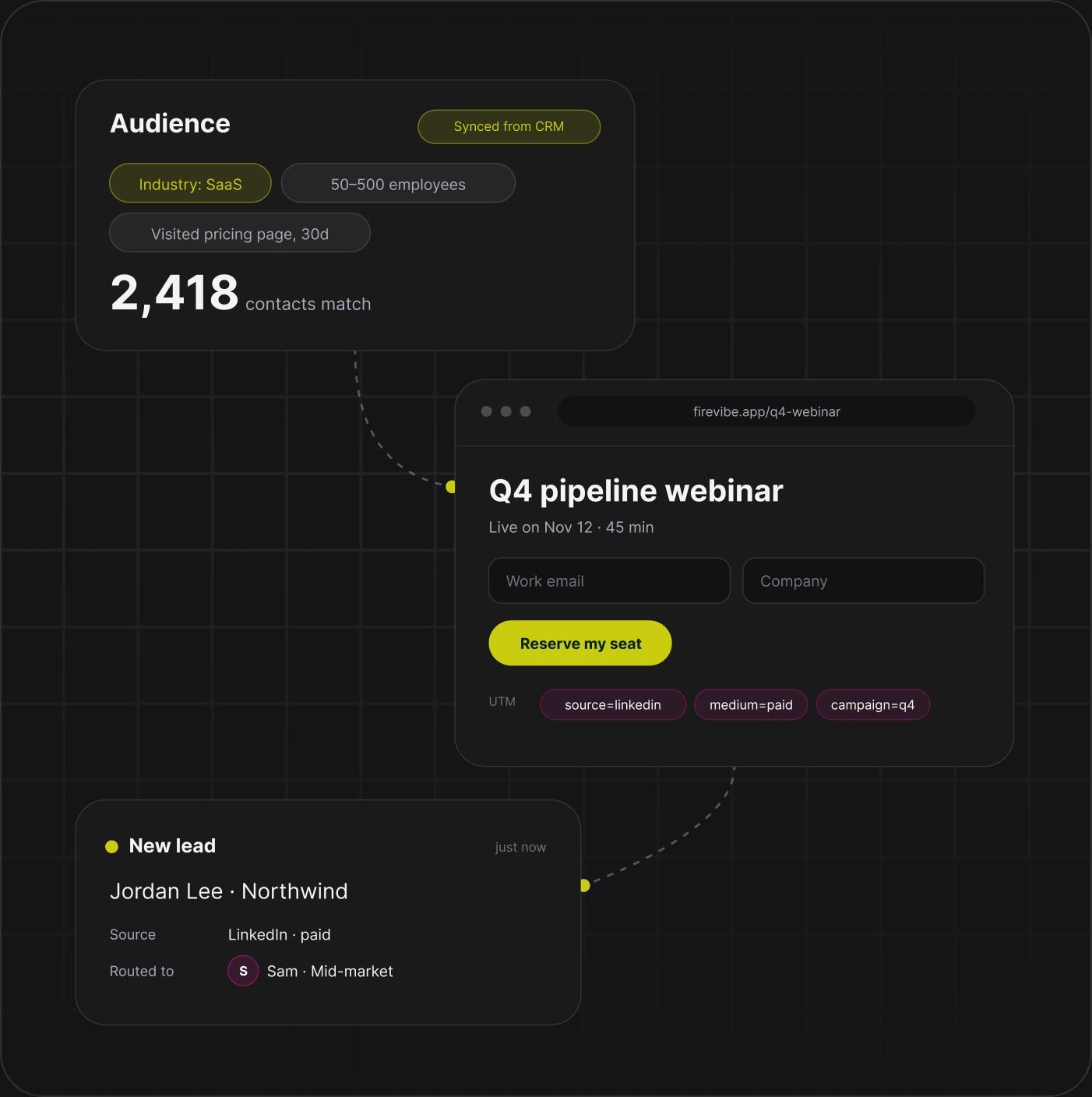
A new lead lands in your CRM, a signup joins your email list and the team hears about it in Slack, with no export in between.
Kinds of marketing work
Demand gen
Build the campaign page and the lead form yourself, tracking included.
 Campaign pages with UTM tracking
- Lead forms that save every signup
- New leads sent to your CRM and to Slack
Performance marketing
Ship a landing page for every campaign and every audience.
- Landing pages and their variants
- Messages and creative side by side
- Signups by channel on one dashboard
Product marketing
Run a launch from one place, from the plan to the page.
- Launch plans with dates and owners
- Announcement pages
- Battlecards for the sales team
Field and events
Run an event from one app, from sign-up to follow-up.
- Event sites with registration
- A live agenda
- Lead capture at the booth
Customer marketing
Give your customers a hub of their own.
- Referral programs
- Review requests
- Renewal reminders
Marketing ops
Replace the export and the routing spreadsheet.
- Dashboards on your own data
- Lead routing rules you can read
- Request flows with an owner
Questions marketing teams ask
Landing pages, campaign and event sites, launch pages, referral hubs and dashboards. Each one is built from a description in plain words.
No. The marketer describes the page and Firevibe writes it. Changes are asked for the same way, in a sentence.
Yes. A site Firevibe builds is real pages that search engines can read from the day it goes live.
Yes, on Pro. Every paid plan publishes to a firevibe.dev address, and Pro connects a domain you own.
Through connectors such as HubSpot, Mailchimp, Klaviyo, Stripe and Slack. Each one uses your own account's key, which you add once.
Yes. Ask for the change in a sentence, check it in the preview and publish again. The live page changes when you publish.
Yes. Paid plans open the full source code: real React and TypeScript.
Yes. Sign up without a credit card and build with your free credits. Publishing and code access are part of the paid plans, which also allow more collaborators.